Version Report keeps a list of your important apps and checks each
one for the latest available version. When something updates, it
flags it so you can decide whether action is needed.
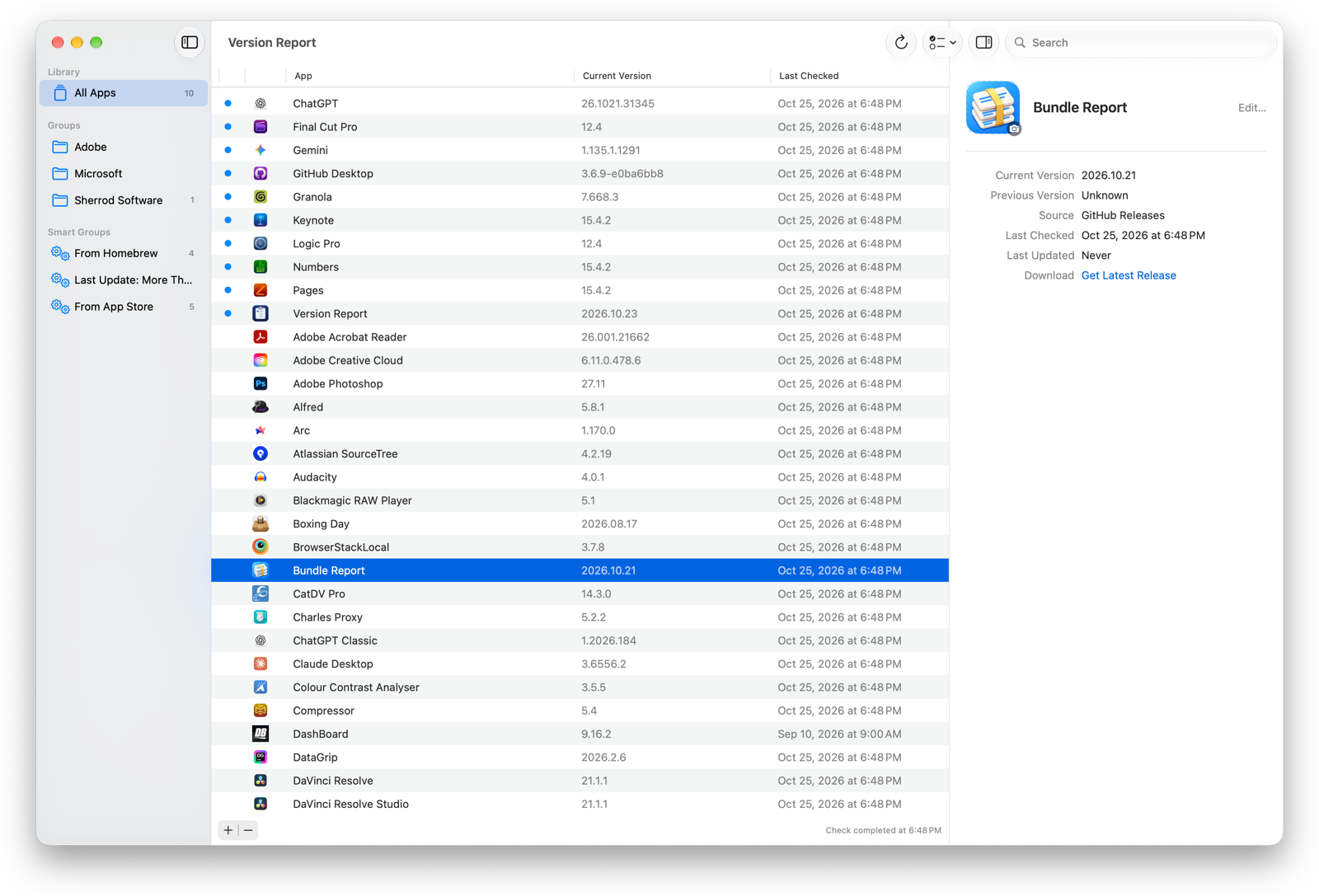
Automatic checks — runs a version check on launch and on a schedule in the background.
Unread badges — new updates bubble to the top and are marked with a blue dot until you dismiss them.
App detail panel — double-click any app to see its full version history, source, and dates at a glance.
Groups — organize apps into custom groups. Drag apps from the table onto a group, or right-click and choose Add to Group.
Smart Groups — automatically filter apps by source, update status, or other criteria.
Built-in library — a curated list of common macOS apps ready to add with a few clicks.
Automatic updates — Version Report keeps itself up to date via Sparkle.
Supported version sources
Version Report knows how to check versions from these sources:
Source
How it works
App Store
Looks up the current Mac App Store version via the iTunes Search API.
Homebrew Cask
Queries the Homebrew formula for the latest cask version.
Sparkle Feed
Parses an app’s Sparkle update XML feed.
GitHub Releases
Reads the latest release tag from a public GitHub repository.
Custom
Fetches any URL and extracts a version using a regex or JSON path.